JR3 is Here. Enhanced for Patent. Expanded for Every Document That Matters.
Junior was built on one conviction: that AI trained and structured for the demands of patent work, living inside the document editors IP practitioners already use, would change how patents get written. It did.
JR3 is what comes next. Every part of your prep and prosecution workflow connected. Every friction point addressed. The most intuitive version of Junior we have ever built. And for the first time, the same intelligence that redefined patent drafting can be applied to any document type across your practice.
This is not a features update. This is the future of legal document work. Built by attorneys for the legal industry and powered by purpose-built AI.
What’s New in JR3 for IP Professionals
- Drawings management from Chat
- Office Actions pulled directly from the USPTO
- Patent family-wide Claim Analysis
- Consolidated preparation environment
- Standalone Claims Module
Our Most Exciting New Feature
- AI-centric document editing with private model instances
What’s New Specifically for IP & Patent Professionals
Drawings: Figure Management from Chat
You can now update all figure numbering, renumbering, labeling, and relabeling directly from Chat. Just describe what you need and JR3 handles the updates across the Drawings Tab, reviews for inconsistencies, and makes auto-corrections to keep your figures and specification aligned.
Office Actions: USPTO Data Pulled In-App
No more separate lookups. JR3 pulls Office Actions directly from the USPTO inside JR3. Your examiner’s stats come with it, surfaced in the interface for you to review and use when forming your response. You choose whether to let those stats inform your strategy. Everything you need, in one place.
Patent Families: Work Across Applications Together
JR3 lets you run Claim Analysis across an entire patent family and carry those findings directly into Claim Drafting. If you’re managing related applications, you can now work across them as a set instead of repeating the same process one application at a time.
Preparation Workflow: Everything, Even Before You Draft, In One Place
JR3 introduces a structured preparation environment that consolidates the work you do before opening MS Word. Upload materials, research patent families, chat through your sources, and study through either Junior’s new admin portal or the ChatGPT.com integration. When you’re ready to draft, pull any project’s data directly into Word. The research phase and the drafting environment are connected now.
Claims Module: A Dedicated Tab for Claims Review
The Claims Module is a new, standalone tab. It detects and corrects claim issues, starting with antecedent basis. It runs independently of the drafting flow, so you can treat claims review as its own step rather than something you fold into everything else and hope you caught.
The Biggest Release: AI-Centric Documents Beyond Patents
AI That Works Across Every Document Type
The features above make JR3 the most capable patent drafting platform we have ever built. But patent drafting was always the proof of concept, not the ceiling.
Patent work is some of the most technical drafting work in law. Claim structures are dense, prosecution strategy is nuanced, drawing specifications are exacting, and examiner dynamics shift with every docket. We built AI that could handle all of it, built it from the ground up, and made it work inside the tools attorneys already use every day. If that problem could be solved, any document problem could be solved.
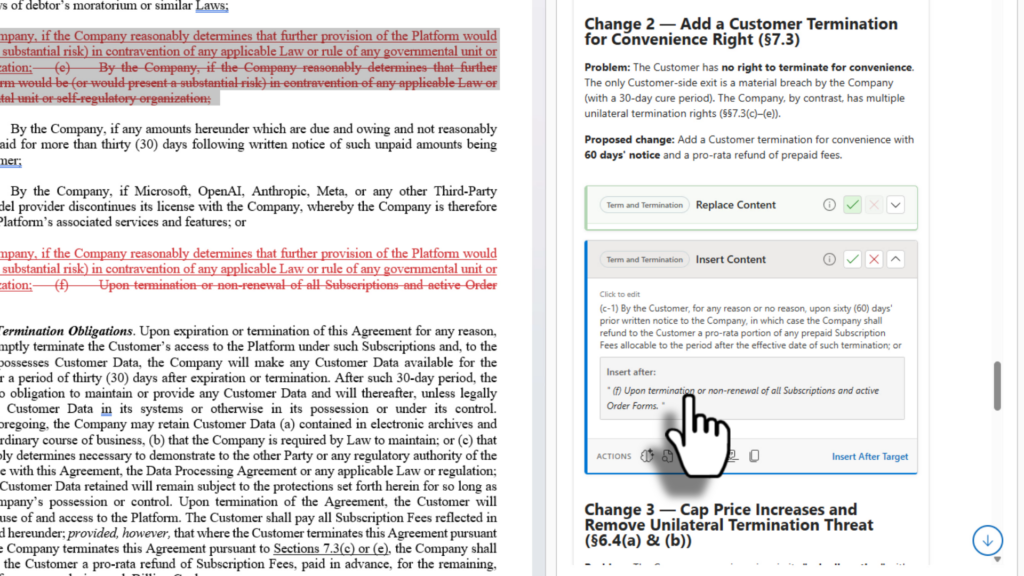
With this release, JR3 turns MS Word and Google Docs into an AI-centric document editor that can be trained to any document type from contracts to briefs, policies, filings, licensing agreements, and more. If your team produces it, JR3 can integrate it.
You control the training data: public sources, private data you elect to share, or both. The model runs as a private JR instance built specifically for you. Your work product stays yours. If you want to share what you have built, you can publish your model to Junior’s Document Marketplace.
Most legal practice is document work. Junior started in patents because that’s where the complexity was greatest and the stakes for getting it wrong were highest. Now the same infrastructure is available to every practice area and every attorney who works in documents.
Get Started: JR3 is available now.
Existing users: Your account is already updated with the new Patent and Office Action features.
If you would like access to the JR3 Document Editor for all document types, request it below. We will get you set up.
New to Junior?
A note on the name: Junior is now JR3 in the App Store. New name, same team, and a completely rebuilt platform underneath. If you’re already a Junior user, the update is automatic. Your account and all your data carry over.